
#
PHOENIQS AI Platform
Enterprise AI that stays in Switzerland. The PHOENIQS AI Platform gives your teams a ChatGPT-class experience, reusable AI agents, and soon AI coding and automated workflows, all running on Swiss-hosted open-weight models inside your own tenant. Your data is never used to train models, never leaves Swiss jurisdiction, and is never visible to a model vendor.
#
The platform
#
PHOENIQS Chat
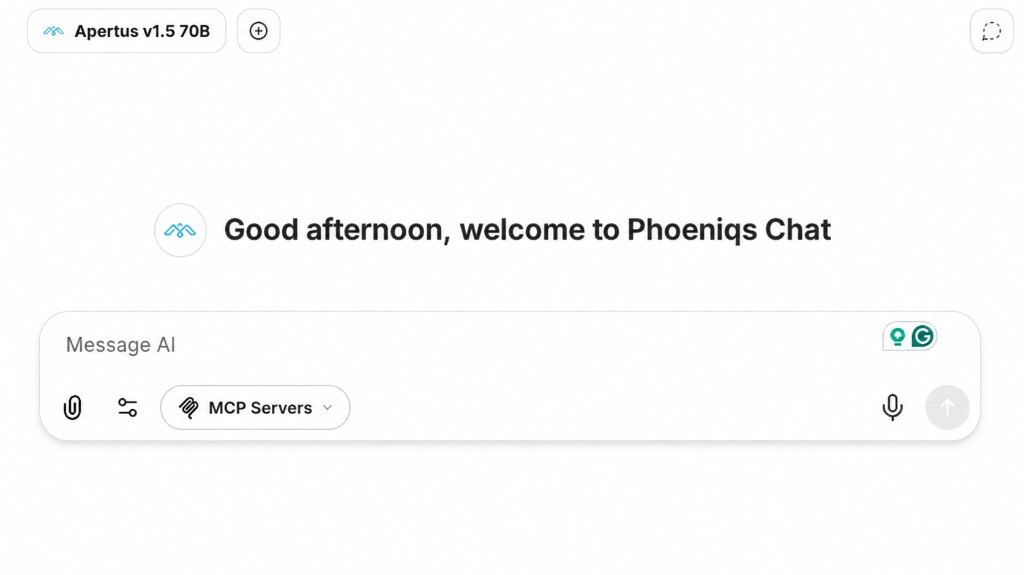
The conversational workspace at the core of the platform. PHOENIQS Chat is based on the open-source LibreChat framework, extended by PHOENIQS for sovereignty and governance, and delivered as a fully managed service on Swiss infrastructure. Your teams get a familiar, ChatGPT-like interface with enterprise controls built in:
- Multi-model chat: the full catalogue of Swiss-hosted open-weight models, switchable mid-conversation
- Knowledge and search: answers grounded in your own documents via PHOENIQS Data Pools, plus secure web search
- Tools and integrations: Microsoft 365, Atlassian, and custom MCP tools, usable directly from the chat
- Voice and media: speech-to-text, audio transcription, image analysis, and document understanding
- Privacy and control: enterprise SSO, temporary chats, single-tenant instances, and token usage monitoring
- Personalisation: your logo, your theme, your language
Available as a free Evaluation plan or a dedicated single-tenant instance. For the complete list, see the Feature Overview.
#
PHOENIQS Agents
Reusable AI assistants configured with your instructions, sources, tools, and models to automate repeatable workflows with consistent, grounded results. They live inside your chat instance. Install ready-made agents from the Agent Marketplace, or build your own in the no-code Agent Builder: give it a role, a model, knowledge files, and the tools it may use, then share it with your team. Recurring work stops needing re-explaining.
Three agents are available in the Marketplace today:
- Aurora, your portal and commercial assistant: helps you choose products, understand quotes and orders, and manage subscriptions.
- Atlas, your project management assistant: task summaries, team capacity, and project health at a glance.
- Vector, your engineering assistant: requirements, architecture, code review, testing, and troubleshooting.
#
PHOENIQS Build
Upcoming
AI-assisted software development on sovereign infrastructure. PHOENIQS Build brings an agentic coding environment based on OpenCode to the platform, so your developers get a coding agent that reads, writes, and refactors code against your repositories, powered by Swiss-hosted models and without source code ever leaving Switzerland.
Already using OpenCode? You can connect it to the PHOENIQS AI Model Service today.
#
PHOENIQS Automate
Upcoming
Automated workflows powered by the platform. Chain agents, tools, and knowledge into processes that run on a schedule or on a trigger, without a person in the chat: triage tickets, summarise the week's project activity, draft recurring reports, or keep a knowledge base current. Built on the same agents, models, and Data Pools you already use.
#
Under the hood
Every product above runs on the same sovereign foundation, so what you build in one carries over to the next.
- PHOENIQS AI Model Service: an OpenAI-compatible API over a curated catalogue of open-weight chat, reasoning, multimodal, embedding, reranker, OCR, and speech-to-text models, served on Swiss GPUs.
- PHOENIQS Data Pools: a Swiss-sovereign RAG and retrieval layer connecting your documents and structured data to AI chat, agents, and automated workflows, with row-level access control enforced in the database and read-only MCP and REST access.
- MCP integrations: Microsoft 365, Atlassian, and custom MCP servers, so agents can act on your systems, not just talk about them.
- PHOENIQS Cloud: Red Hat OpenShift on Swiss data centres in Basel, with backups at Mount10 in the Swiss Alps.
#
How to get started
- Create an account at the PHOENIQS Portal and set up your company. See Getting Started.
- Try it free with the Chat Evaluation plan, or go straight to a dedicated instance with Chat Dedicated.
- Provision your instance in minutes and sign in with your company SSO. See Provision PHOENIQS Chat.
- Add agents from the Agent Marketplace or build your own.